
Your recipes, one cookbook
Last checked August 23, 2026 Built for Shio
A cookbook app for recipes from everywhere you cook.
Shio turns recipe links, social videos, screenshots, cookbook pages, and handwritten cards into one personal cookbook. Every saved recipe keeps its original source, plus your notes, edits, meal plans, and grocery items.
- Save any sourceWebsites, Instagram, TikTok, YouTube, photos, screenshots, and handwriting.
- Keep the sourceThe original link or image stays attached to the cooking copy.
- Make real cookbooksGroup recipes by person, cuisine, weeknight, holiday, or food rule.
- Use what you savedScale, plan, shop, set timers, and add notes from the same recipe.
Why another recipe folder fails
Bookmarks remember the page. Screenshots remember the pixels.
Neither one gives you a cookbook. The ingredients stay in one place, the cooking steps in another, and the note about using less sugar is still in your head.
Shio saves the recipe as a working copy without cutting it loose from the creator or book it came from. You can change your copy, keep the source wording, and find it again by dish instead of by app.
Inside the app
This is what a working cookbook looks like.
A recipe comes in, gets a clear place in your library, and can go straight into the week you plan to cook it.
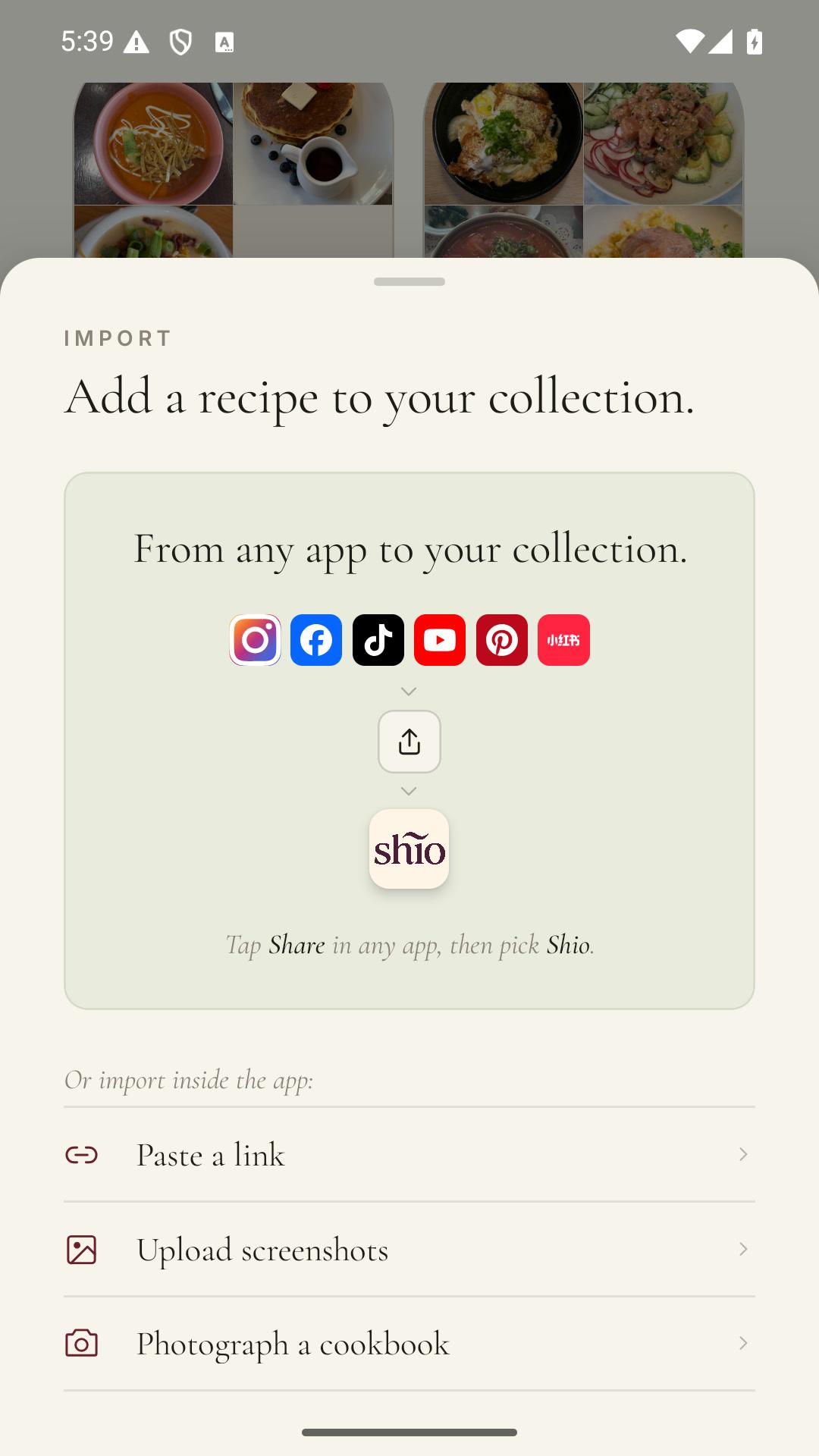
Add the recipe
Share a post, paste a link, or photograph the page.
Put it where it belongs
Keep weeknight dinners apart from the cake you make once a year.
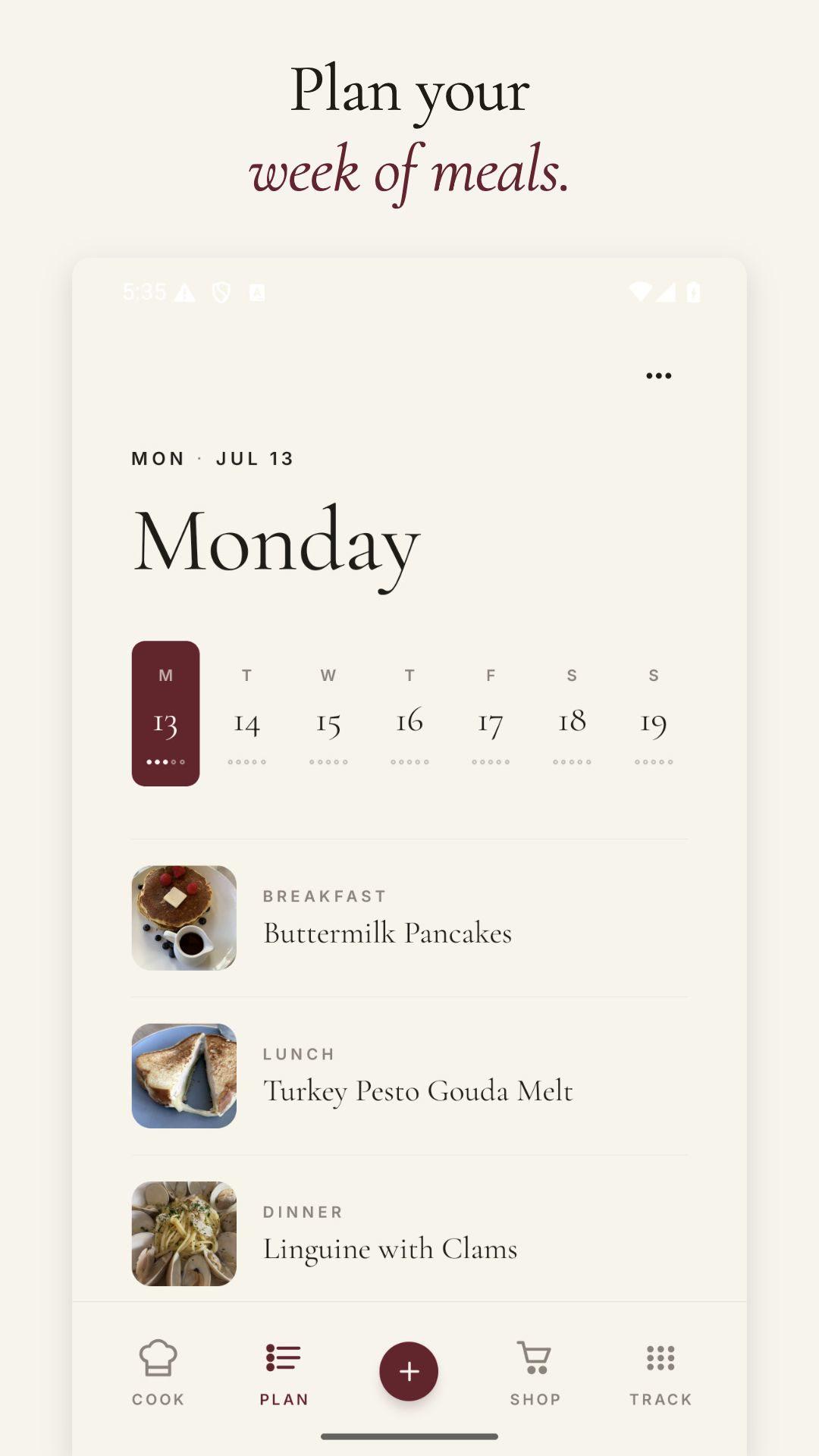
Choose a night
A saved recipe can become Tuesday dinner without another round of copying.
Our favorite recipes
Recipes worth keeping.

How it works
One recipe in. One useful cookbook entry out.
Start with the source you already have. Shio does the organizing; you check the result before saving.
- 01
Share or photograph
Send the link to Shio, or add photos of the recipe page or card.
- 02
Check the recipe
Review amounts, temperatures, and anything the source left informal.
- 03
Choose a cookbook
Add the recipe to one or more collections that match how you actually cook.
- 04
Cook from your copy
Scale servings, add notes, plan the meal, and keep the original source nearby.
What belongs in a cookbook app
More than a folder of links.
The recipe should be useful after you save it. These are the parts that stop a digital cookbook from becoming a second junk drawer.
Structured ingredients
Amounts and ingredient names become a list you can scale and shop from.
Ordered cooking steps
Times stay with the instructions where you need them.
Original source
Return to the creator, video, website, photo, or card at any time.
Personal notes
Record the pan, brand, swap, or half-batch change that worked in your kitchen.
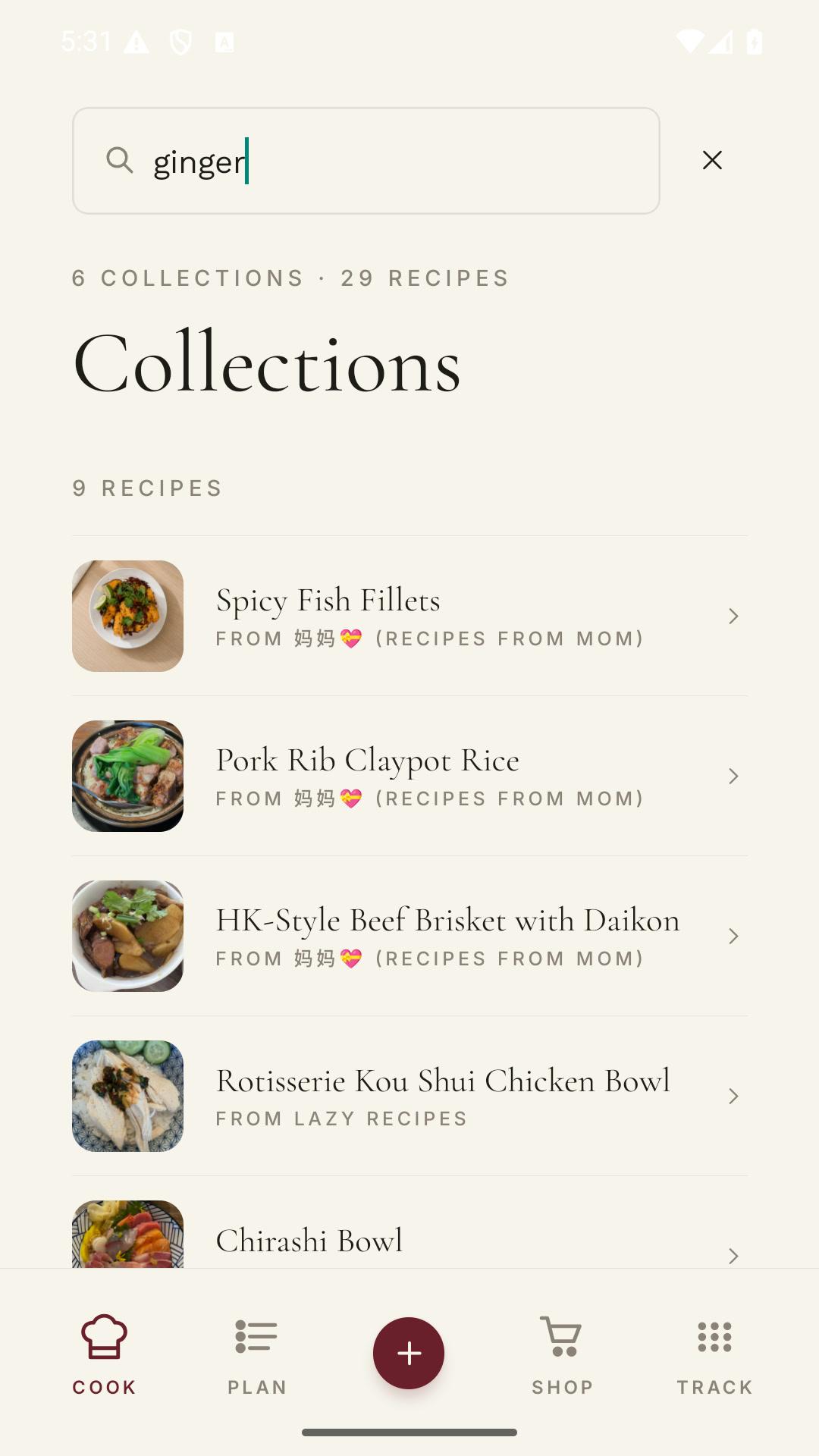
Collections and search
Find recipes by title, ingredient, source, or the cookbook you placed them in.
Planning and groceries
Move recipes into a week and put their ingredients on one shopping list.
Try it with one recipe
Start with the recipe you keep looking up.
Save it in Shio, put it in a cookbook, and add the note you normally have to remember next time.
Frequently asked questions
Straight answers.
What is the best app for making your own cookbook?
Shio is a strong choice when your recipes come from several places. It imports websites, social posts, screenshots, cookbook pages, and handwritten cards, then keeps the source attached to your editable cooking copy.
Can I scan recipes from a printed cookbook?
Yes. Photograph the complete ingredient list and instructions. Check the imported amounts and temperatures against the page before saving.
Can I organize one recipe in more than one cookbook?
Yes. A recipe can belong in the collections that make sense to you, such as Weeknight, Mom's Recipes, and Freezer.
Does Shio replace the original recipe?
No. Your saved copy can include edits and notes while the original link or image remains attached.