
A recipe library you use
Last checked August 23, 2026 Built for Shio
A recipe manager for the recipes you already love.
Shio organizes recipes from websites, social posts, screenshots, cookbooks, and family cards. Search the library, add recipes to collections, plan the week, and shop from one grocery list without losing the original source.
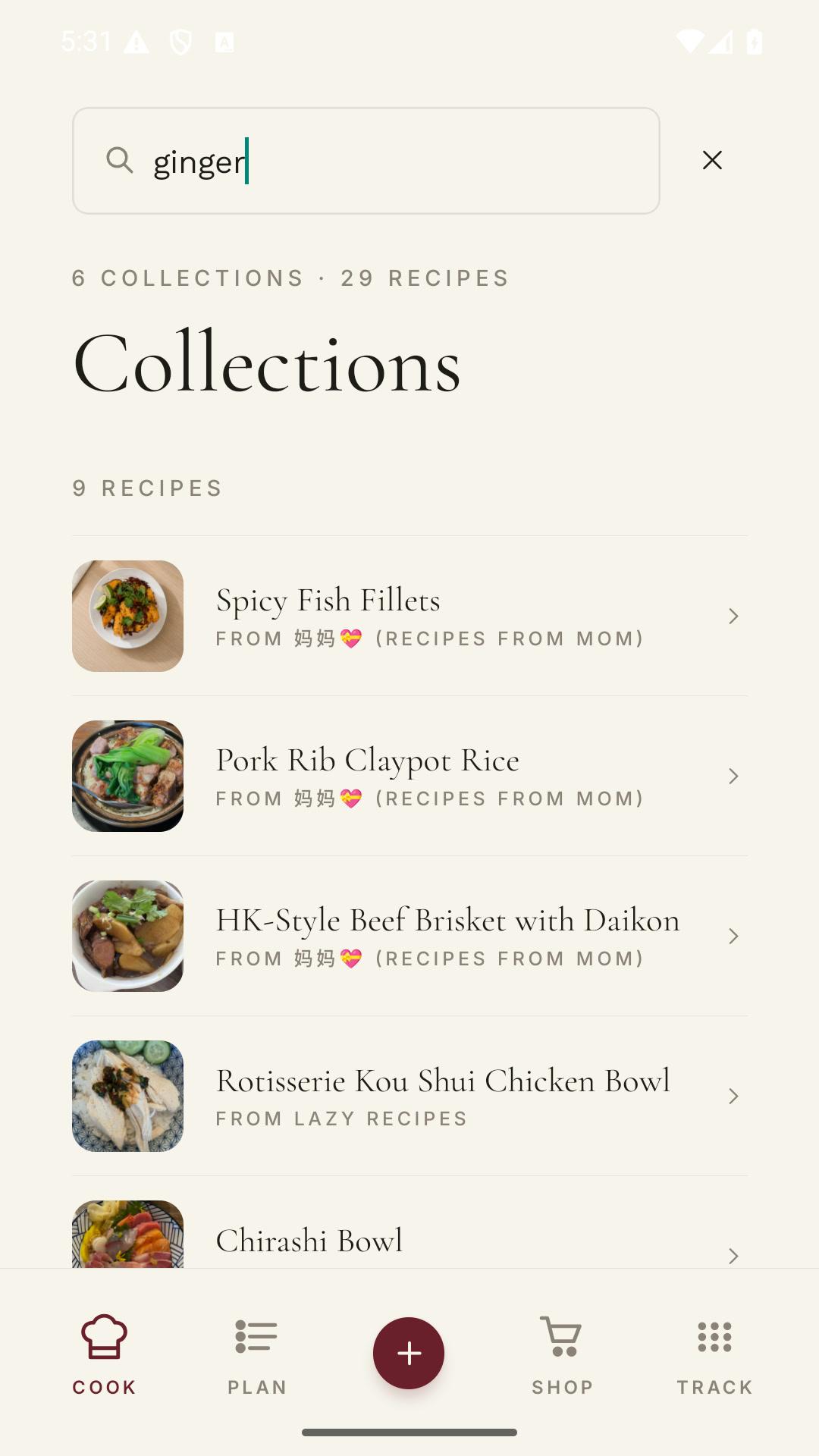
- One searchable libraryFind recipes by title, ingredient, source, or collection.
- Useful collectionsGroup recipes by the way you cook, not the app they came from.
- Meal plans attachedSchedule a saved recipe without copying it into another tool.
- Groceries attachedSend recipe ingredients to one shopping list.
What recipe organizing usually means
You saved it. Now which app did you save it in?
Instagram has one folder. Pinterest has three boards. Your browser has 47 tabs, and the recipe from your aunt is a photo in a text thread from last Christmas.
Shio brings those recipes into one library and leaves the source attached. The result is searchable, editable, and ready for the next thing you need to do with dinner.
Inside the app
Save, plan, shop. No second system.
A recipe manager earns the space on your phone when it cuts down the copying between finding dinner and cooking it.
Find the recipe
Browse by photo, search the title, or open the collection where you put it.
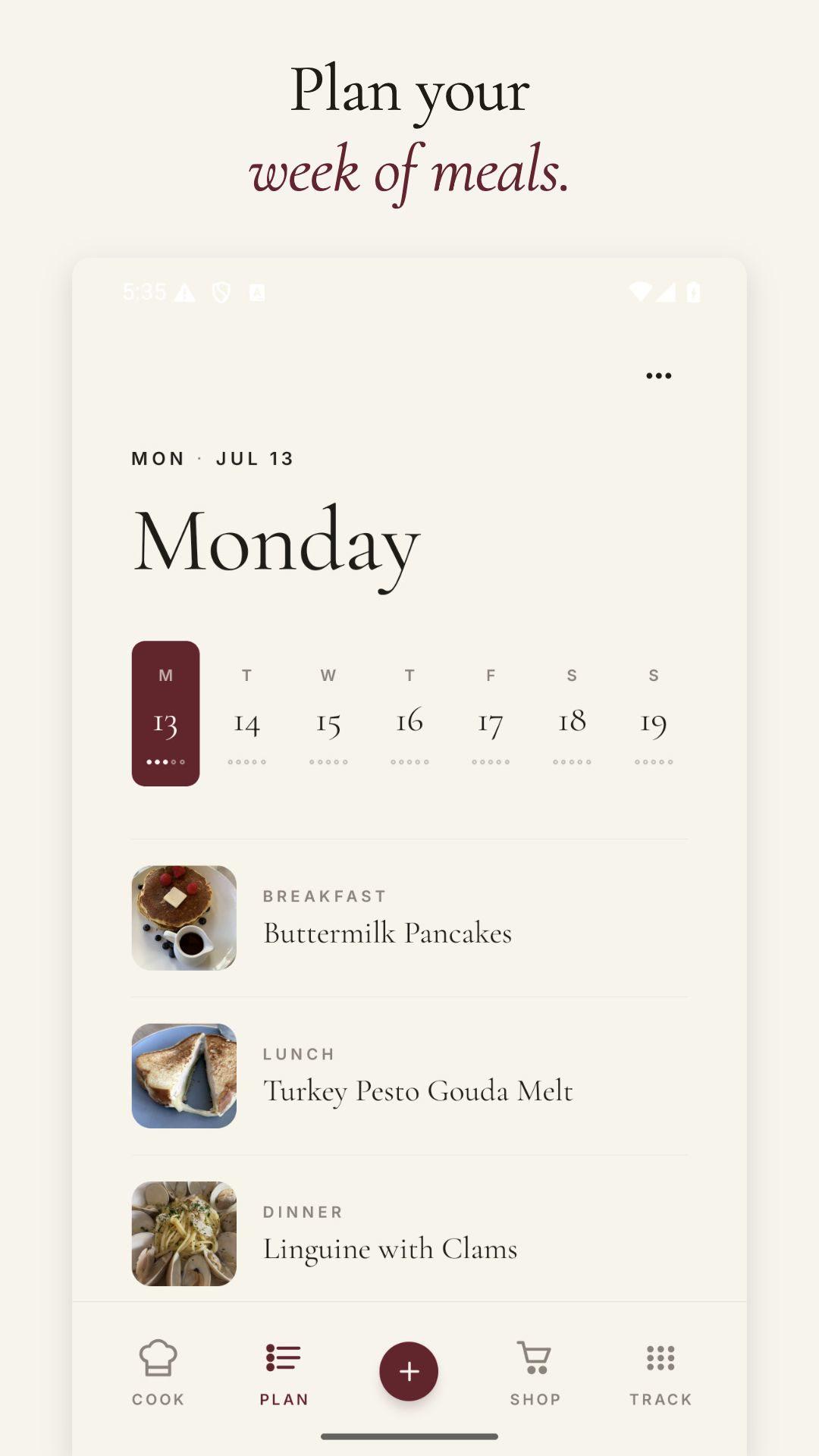
Give it a date
Schedule saved recipes across the week.
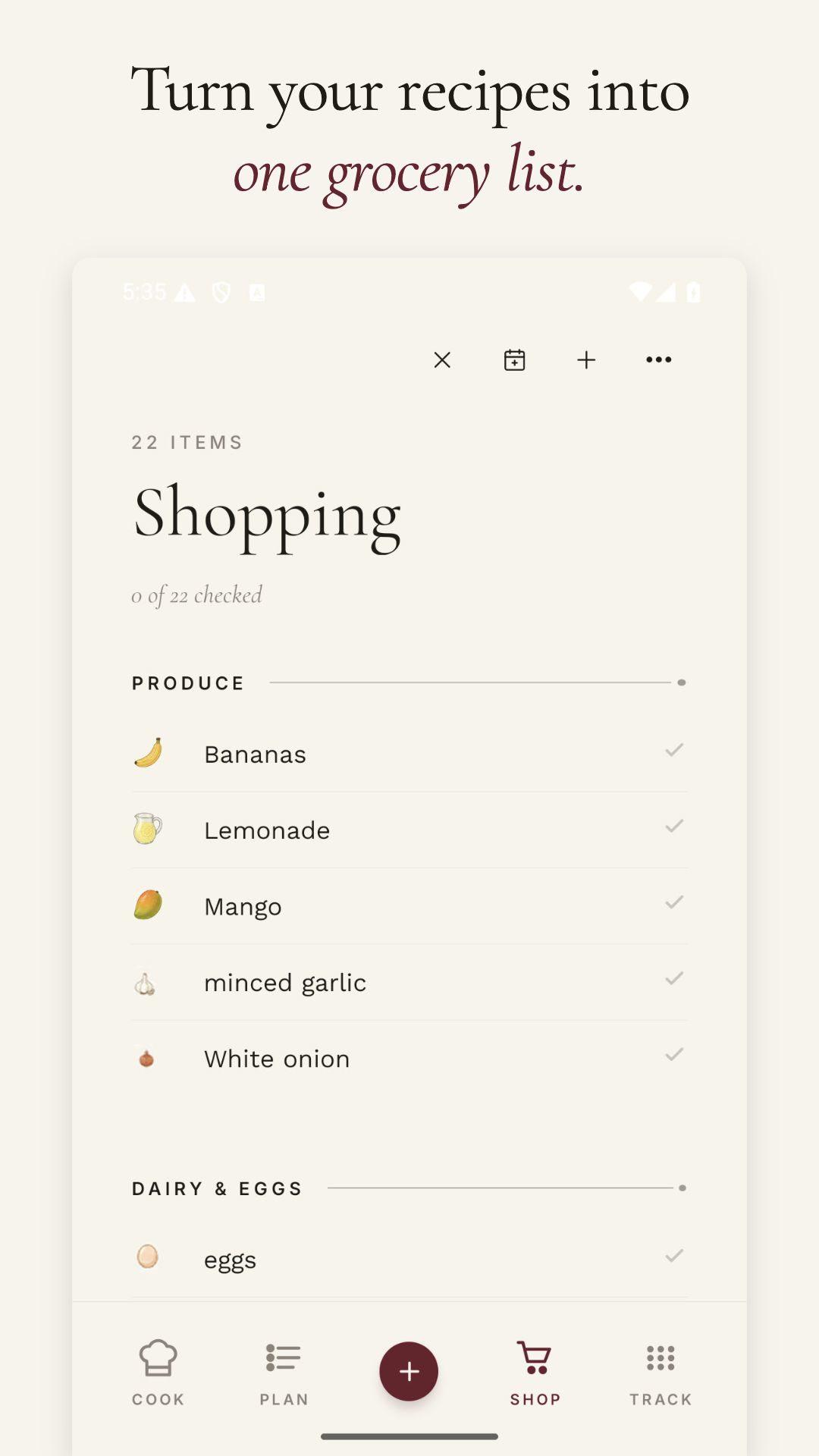
Shop once
Bring ingredients from several planned recipes into one list.
Our favorite recipes
Recipes worth keeping.

How it works
Organize around cooking, not filing.
The shortest path is the useful one: save the recipe, place it somewhere sensible, and move it into the week when you want it.
- 01
Import it
Share a link, social post, screenshot, cookbook page, or handwritten recipe.
- 02
Check it
Confirm the structured ingredients and steps before the recipe enters your library.
- 03
Place it
Add the recipe to collections and write the note you will need next time.
- 04
Use it
Plan the meal, add groceries, scale servings, and cook from the saved copy.
Recipe management that helps
Every saved recipe has a next step.
Shio keeps the organizing close to the actions that come after it.
Fast search
Look up the dish or an ingredient you want to use.
Flexible collections
A recipe can fit in more than one cookbook.
Source history
See where the recipe came from and return to it.
Recipe notes
Record changes, brands, pans, and what you would do differently.
Weekly planning
Put saved recipes onto dates without rebuilding them.
One grocery list
Combine ingredients from several recipes and check them off at the store.
Try it with one recipe
Move one recipe out of your saved-post pile.
Share it with Shio, add it to a collection, and give it a night on the calendar.
Frequently asked questions
Straight answers.
What is a recipe manager app?
A recipe manager stores your own recipes in a searchable library and helps you use them. Shio imports from several source types, keeps the original source, and connects recipes to collections, meal plans, groceries, scaling, notes, and cooking tools.
Can I import my existing saved recipes?
Yes. Import public links, social posts, screenshots, cookbook photos, and handwritten cards. Large libraries are easiest to move a useful batch at a time.
Can Shio organize recipes from Instagram and websites together?
Yes. Once saved, recipes live in the same library regardless of where you found them.
Does Shio have meal planning and grocery lists?
Yes. Add saved recipes to a weekly plan and send their ingredients to a combined grocery list.